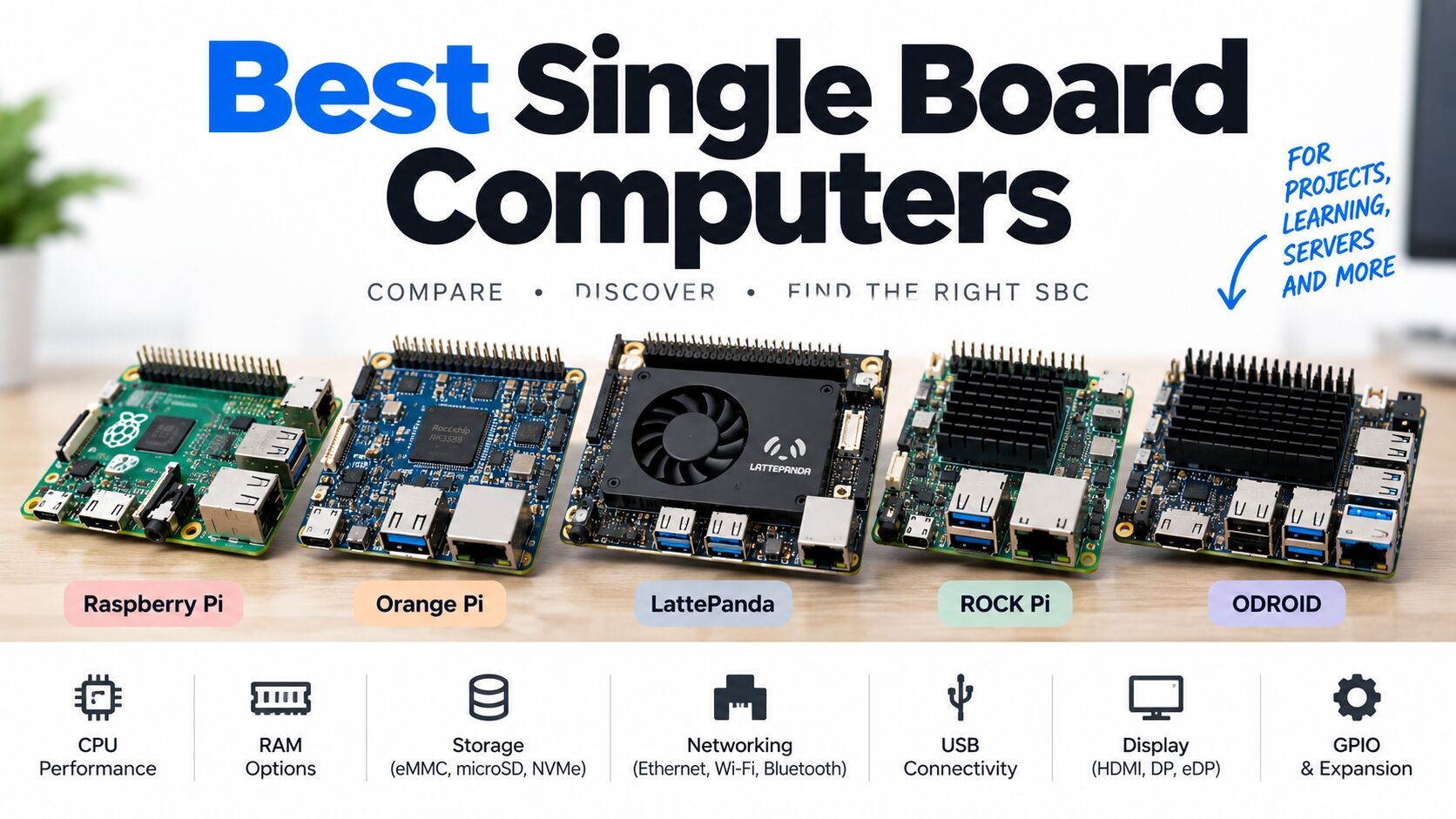
Choosing the right single board computer (SBC) means navigating a saturated and evolving market. Whether you’re building an IoT device, a home server, or an edge AI project, this comparison simplifies your search with the top SBCs available — covering budgets, performance, and use-case flexibility.
All recommendations here are based on the latest SBC reviews and trends in the hobbyist and professional spaces.
📊 How We Picked These SBCs
Our list emphasizes:
- Performance — CPU, GPU, RAM
- Connectivity — USB, Ethernet, Wifi, GPIO
- Community & Support
- Value for money
This mix ensures that whether you’re a beginner or a developer, there’s an excellent option for your needs.
🏆 1. Raspberry Pi 5 — Best All-Around SBC
Why it’s great:
Arguably the most well-supported SBC in the world, the Raspberry Pi 5 continues to lead in 2026 thanks to its balance of performance, community support, and ecosystem accessory availability.
Best for: Learning, media projects, general computing
Key features: ARM Cortex-A76 CPU, up to 8GB RAM, USB 3.0, dual HDMI
⚡ 2. Orange Pi 5 Pro — Best Performance SBC
An excellent choice if you need higher computational power than the Raspberry Pi. It boasts strong multi-core performance, plenty of RAM, and good storage options.
Best for: AI projects, compact servers, multimedia
Key features: Rockchip RK3588S, up to 16GB RAM, M.2 storage slot
💻 3. LattePanda 3 Delta — Best x86 SBC
If your project needs compatibility with desktop-style software or Windows, the LattePanda 3 Delta delivers x86 performance rare in the SBC space.
Best for: Windows applications, productivity workloads
Key features: Intel Celeron N5105, NVMe support, Wi-Fi 6
📉 4. Raspberry Pi Zero 2 W — Best Budget SBC
For small projects and learning the basics, the Raspberry Pi Zero 2 W remains a solid, extremely affordable entry point.
Best for: IoT kits, sensors, basic automation
Key features: ARM CPU, tiny form factor, micro USB
🛠️ 5. Radxa Rock 5C — Best for Linux & 8K Video
This SBC strikes a great balance of performance and affordability with support for high-res video output and strong Linux compatibility.
Best for: Multimedia projects, general Linux use
Key features: RK3588S2 CPU, 8K video output, good storage options
🔋 6. NanoPi NEO3 — Best Tiny/Embedded SBC
Perfect for lightweight or always-on systems, this micro SBC excels for small-footprint deployments.
Best for: Compact embedded applications
Key features: Small form factor, efficient performance
🔌 7. Odroid N2+ — Great All-Around Alternative
An SBC with a solid track record, the Odroid N2+ offers robust processing and is popular among hobbyists and small server builders alike.
Best for: Home servers, media centers
Key features: Amlogic S922X CPU, eMMC storage options
🖥️ 8. Khadas VIM3 — Best SBC for Pro Developers
Known for strong performance and AI-ready extensions, the Khadas VIM3 works well for advanced applications such as edge computing.
Best for: AI/ML, advanced embedded projects
Key features: High-end ARM CPU, good GPU support
📟 9. Rock Pi 4 — Solid Raspberry Pi Alternative
For a blend of performance and versatility with broad OS support, the Rock Pi 4 remains a compelling alternative to more mainstream boards.
Best for: Linux desktops, multimedia projects
Key features: Powerful ARM CPU, multiple connectivity options
🧠 10. Emerging RISC-V SBCs — Best for Future-Proofing
While still growing, several RISC-V based SBCs are gaining traction in 2026, offering open-architecture computing with strong performance in edge AI and embedded tasks.
Best for: Open-source enthusiasts, experimental builds
Key features: Open ISA, efficient design
📌 How to Choose from This List
Here’s a quick recommendation based on what you want to do:
| Project Type | Best SBC |
|---|---|
| Learning & beginner projects | Raspberry Pi 5 / Zero 2 W |
| High-performance computing | Orange Pi 5 Pro / Radxa Rock 5C |
| Windows or x86 needs | LattePanda 3 Delta |
| Compact embedded systems | NanoPi NEO3 |
| AI & advanced workloads | Khadas VIM3 / RISC-V boards |
| Media servers | Odroid N2+ / Rock Pi 4 |
📊 Comparison Table of Best Single Board Computers
| Model | Brand | Architecture | CPU | Cores | Clock (MHz) | RAM (MB) | RAM Type | Ethernet Interfaces | Gigabit Ethernet | USB Ports | USB 3 | Wi-Fi + BT | Wi-Fi 6 | NVMe Port |
|---|---|---|---|---|---|---|---|---|---|---|---|---|---|---|
| NVIDIA Jetson Orin Nano Super Developer Kit | NVIDIA | ARMv8 | Cortex-A78AE v8.2 64-bit | 6 | 1700 | 8192 | LPDDR5 | 1 | Yes | 4 | Yes | Yes | No | Yes |
| Banana Pi BPI-M7 16GB | Banana Pi | ARMv8 | Rockchip RK3588 | 8 | 2400 | 16384 | LPDDR4 | 2 | Yes | 4 | Yes | Yes | Yes | Yes |
| Orange Pi 6 Plus 32GB | Orange Pi | ARMv9 | CIX P1 / CD8180 | 12 | 2600 | 32768 | LPDDR5 | 2 | Yes | 4 | Yes | No | No | Yes |
| Orange Pi 6 8GB | Orange Pi | ARMv9 | CIX P1 (CD8180) | 12 | 2600 | 8192 | LPDDR5 | 2 | Yes | 4 | Yes | No | No | Yes |
| Orange Pi 6 16GB | Orange Pi | ARMv9 | CIX P1 (CD8180) | 12 | 2600 | 16384 | LPDDR5 | 2 | Yes | 4 | Yes | No | No | Yes |
| NanoPi NEO3 Plus 1GB | NanoPi | ARMv8 | Rockchip RK3528A | 4 | 1800 | 1024 | LPDDR4 | 1 | Yes | 2 | Yes | No | No | No |
| Radxa ROCK 5C 8G | Radxa | ARMv8 | Rockchip RK3588S2 | 8 | 1800 | 8192 | LPDDR4 | 1 | Yes | 4 | Yes | Yes | Yes | No |
| ROCK Pi 4 | Radxa | ARMv8 | Rockchip RK3399 | 6 | 1800 | 4096 | LPDDR4 | 1 | Yes | 4 | Yes | Yes | No | Yes |
| Odroid N2(+) | ODROID | ARMv8 | Amlogic S922X 2.0 | 6 | 2400 | 4096 | DDR4 | 1 | Yes | 4 | Yes | No | No | No |
| Raspberry Pi Zero 2 W | Raspberry Pi | ARMv8 | Broadcom BCM2710A1 | 4 | 1024 | 512 | LPDDR2 | 0 | No | 1 | No | Yes | No | No |
| LattePanda 3 Delta | LattePanda | x86 | Intel® Celeron® N5105 | 4 | 2900 | 8192 | LPDDR4 | 1 | Yes | 4 | Yes | Yes | No | No |
| OrangePi 5 Ultra 16GB | Orange Pi | ARMv8 | Rockchip RK3588 (8nm LP process) | 8 | 2400 | 16384 | LPDDR5 | 1 | Yes | 4 | Yes | Yes | Yes | Yes |
| OrangePi 5 Ultra 8GB | Orange Pi | ARMv8 | Rockchip RK3588 (8nm LP process) | 8 | 2400 | 8192 | LPDDR5 | 1 | Yes | 4 | Yes | Yes | Yes | Yes |
| Raspberry Pi 3 model B+ | Raspberry Pi | ARMv8 | Broadcom BCM2837B0, Cortex-A53 | 4 | 1400 | 1024 | LPDDR2 | 1 | Yes | 4 | No | Yes | No | No |
| Raspberry Pi 4 model B 2GB | Raspberry Pi | ARMv8 | Broadcom BCM2711 | 4 | 1800 | 2048 | LPDDR4 | 1 | Yes | 4 | Yes | Yes | No | No |
| Raspberry Pi 4 model B 8GB | Raspberry Pi | ARMv8 | Broadcom BCM2711 | 4 | 1800 | 8192 | LPDDR4 | 1 | Yes | 4 | Yes | Yes | No | No |
| Raspberry Pi 4 Model B 4GB | Raspberry Pi | ARMv8 | Broadcom BCM2711 | 4 | 1800 | 4096 | LPDDR4 | 1 | Yes | 4 | Yes | Yes | No | No |
| Raspberry Pi 5 16GB | Raspberry Pi | ARMv8 | Broadcom BCM2712 | 4 | 2400 | 16384 | LPDDR4 | 1 | Yes | 4 | Yes | Yes | No | No |
| Raspberry Pi 5 8GB | Raspberry Pi | ARMv8 | Broadcom BCM2712 | 4 | 2400 | 8192 | LPDDR4 | 1 | Yes | 4 | Yes | Yes | No | No |
| Raspberry Pi 5 4GB | Raspberry Pi | ARMv8 | Broadcom BCM2712 | 4 | 2400 | 4096 | LPDDR4 | 1 | Yes | 4 | Yes | Yes | No | No |
Choosing the right single board computer (SBC) can be challenging, especially with so many models offering different processors, memory configurations, storage options, and connectivity features. Whether you’re building a home server, media center, IoT gateway, robotics project, or AI application, comparing hardware specifications side by side is one of the fastest ways to narrow down your options.
Our Single Board Computer Comparison List is designed to help makers, developers, students, and professionals quickly evaluate the most popular SBCs available today. Instead of searching through multiple manufacturer websites, you can compare the specifications that matter most in a single, easy-to-read table.
Compare the Most Popular SBCs
This comparison includes boards from many of the industry’s leading manufacturers, including:
- Raspberry Pi
- Orange Pi
- Radxa (ROCK series)
- ODROID
- LattePanda
- ASUS
- BeagleBoard
- NanoPi
- Banana Pi
As new models are released, we continuously update this database to keep the specifications as accurate and current as possible.
Compare Important Hardware Features
Not all single board computers are built for the same purpose. Some focus on affordability and education, while others prioritize raw performance, AI acceleration, or industrial applications.
Our comparison table lets you evaluate key specifications such as:
- CPU architecture and processor model
- Number of CPU cores
- Clock speed
- RAM capacity and memory type
- USB and USB 3.0 ports
- Ethernet connectivity
- Gigabit Ethernet support
- Wi-Fi and Bluetooth
- Wi-Fi 6 compatibility
- NVMe SSD support
- Storage interfaces
- Overall connectivity
By comparing these features side by side, you can quickly determine which board best matches your project’s requirements.
Which SBC Is Right for You?
Different projects have different hardware requirements. Here are a few common recommendations:
- Learning Linux or programming: Raspberry Pi 5
- Maximum ARM performance: Orange Pi 5 Ultra
- Windows and x86 applications: LattePanda 3 Delta
- Home servers and Docker: ODROID N2+ or ROCK Pi 4
- Media centers: Raspberry Pi 5 or Orange Pi 5 Ultra
- IoT and embedded projects: Raspberry Pi Zero 2 W
- AI and edge computing: RK3588-based boards such as the Orange Pi 5 Ultra
Remember that performance is only one factor. Software support, operating system compatibility, documentation, and community size can be just as important when choosing an SBC. Active ecosystems often make troubleshooting and long-term maintenance much easier.
How to Use This Comparison Table
You can sort and compare boards based on the specifications that matter most to your project. If you’re looking for a compact server, focus on RAM, Ethernet, and NVMe support. For robotics or electronics, GPIO compatibility and Linux support may be more important. If you’re building a desktop replacement, prioritize CPU performance, memory capacity, and display capabilities.
For more detailed buying advice, visit Best Raspberry Pi Alternatives, and How to Choose the Right Single Board Computer guides.
Frequently Asked Questions
What is the best single board computer?
There isn’t a single best SBC for every use case. The Raspberry Pi 5 remains an excellent all-around option thanks to its ecosystem and community, while boards based on the Rockchip RK3588 offer significantly more processing power for demanding workloads.
Which SBC has NVMe support?
Many modern boards now include PCIe or M.2 interfaces for NVMe SSDs, including several Orange Pi, Radxa, and LattePanda models. NVMe storage offers much faster performance than traditional microSD cards.
Which SBC is best for beginners?
The Raspberry Pi family is still the easiest platform for beginners due to its extensive documentation, tutorials, accessories, and active community.
How often is this comparison updated?
We regularly review manufacturer specifications and add newly released boards to keep this comparison as current and useful as possible.
🔍 Final Thoughts
2026 brings an exciting lineup of single board computers, from budget-friendly boards that help you learn and experiment, to powerful machines capable of handling advanced media, networking, and AI workloads. As the SBC ecosystem grows, more options emerge — giving you flexibility, performance, and innovation choices no matter your project.
In the next guides, we’ll dive deeper into:
- How to Choose the Right Single Board Computer for Your Project
- What is a single board computer
- Single Board Computer vs Traditional Computer: Key Differences
- Single Board Computer FAQ: Everything Beginners Ask
👉 Keep exploring and you’ll quickly see why single board computers are ever