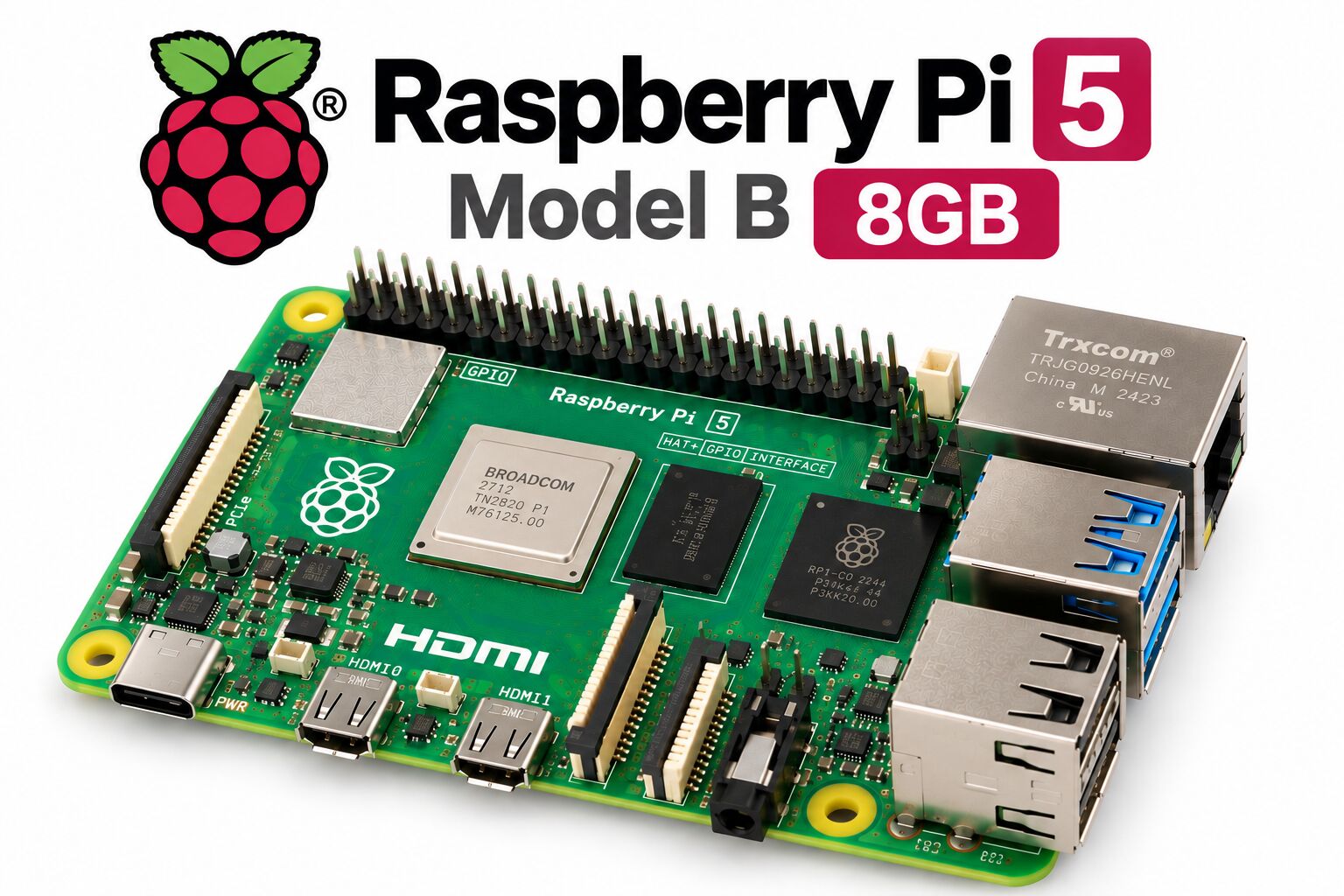
CPU: Broadcom BCM2712 2400 MHz | 4 Cores | ARMv8
RAM: 8192 MB LPDDR4
Ethernet Interfaces Qty: 1
Gigabit Ethernet: Yes
USB Ports Qty: 4
USB 3.0: Yes
Wi-Fi+BT: Yes
Wi-Fi 6: No
NVMe Port: No
The Raspberry Pi 5 8GB is arguably the most versatile Raspberry Pi 5 configuration.
It combines the Raspberry Pi 5’s 2.4GHz quad-core Cortex-A76 processor with 8GB of LPDDR4X memory, providing plenty of capacity for demanding desktop applications, development environments, Docker containers and home servers.
Unlike the 16GB model, the 8GB version doesn’t require a specialized workload to justify its memory.
For many users, it offers the best balance between performance, memory and cost.
Raspberry Pi 5 8GB Specifications
| Specification | Raspberry Pi 5 8GB |
|---|---|
| Processor | Broadcom BCM2712 |
| CPU | Quad-core 64-bit Arm Cortex-A76 |
| CPU speed | 2.4GHz |
| GPU | VideoCore VII |
| RAM | 8GB LPDDR4X-4267 |
| Storage | microSD, USB, NVMe via PCIe |
| Ethernet | Gigabit Ethernet |
| Wi-Fi | Dual-band 802.11ac |
| Bluetooth | Bluetooth 5.0 / BLE |
| USB | 2 × USB 3.0, 2 × USB 2.0 |
| Display | 2 × micro-HDMI |
| Video | Up to dual 4Kp60 |
| PCIe | PCIe 2.0 x1 |
| GPIO | 40-pin |
| Power | USB-C, 5V/5A |
| Dimensions | 85 × 56mm |
Raspberry Pi lists 4GB, 8GB and 16GB versions using the same core Raspberry Pi 5 platform.
Why Choose 8GB?
The biggest advantage of 8GB is headroom.
You don’t have to worry as much about memory when running several applications at the same time.
For example, you could run:
Raspberry Pi 5 8GB
        │
      Docker
        │
 ┌──────┼──────────┐
 │      │          │
Nextcloud Jellyfin Pi-hole
 │      │          │
 │      └──────┐   │
 │             │   │
 └─────────────┼───┘
               │
             NVMe
The exact number of services you can run depends on what those applications are doing, but 8GB gives you considerably more flexibility than 4GB.
Raspberry Pi 5 8GB for Home Servers
This is one of the strongest use cases for the 8GB model.
You can build a compact server for:
- Nextcloud
- Jellyfin
- Docker
- Portainer
- Pi-hole
- Tailscale
- WireGuard
- Home Assistant
- Minecraft
- Web hosting
- File storage
The Gigabit Ethernet connection also makes the Raspberry Pi 5 practical for network-based server applications.
Raspberry Pi 5 8GB for Docker
If you’re planning a serious Docker project, 8GB is the configuration I’d recommend for most users.
It provides enough memory to run multiple lightweight and moderately demanding containers while leaving room for the operating system.
For example:
Docker
│
├── Nextcloud
├── MariaDB
├── Jellyfin
├── Pi-hole
├── Portainer
├── Tailscale
└── Monitoring
The 16GB version provides even more capacity, but 8GB is a much more practical choice for most home servers.
Raspberry Pi 5 8GB for Minecraft
The 8GB model is particularly attractive for a Minecraft server.
It gives the server more memory headroom while leaving RAM available for the operating system and other applications.
If you’re building a dedicated Minecraft server for a small group, Raspberry Pi 5 8GB is a strong configuration.
It becomes even more useful if you’re running Minecraft alongside other services.
Raspberry Pi 5 8GB for Jellyfin
Jellyfin can run on Raspberry Pi, although media-server performance depends on the codecs, resolution, transcoding requirements and network setup.
The 8GB model is a good choice if Jellyfin is part of a larger home server rather than being the only application running on the Pi.
Raspberry Pi 5 8GB for Development
The additional memory also makes the 8GB model a better development machine.
You can comfortably combine:
- IDE
- Browser
- Terminal
- Git
- Docker
- Databases
- Development servers
This makes the Pi 5 8GB a surprisingly capable compact Linux computer.
NVMe Storage
The Raspberry Pi 5 includes a PCIe 2.0 x1 interface that can be used with an M.2 HAT or adapter for NVMe storage.
For a home server, I would strongly consider:
Raspberry Pi 5 8GB + NVMe SSD + active cooling + Ethernet
This is a much more capable configuration than using the Raspberry Pi solely with a microSD card.
Cooling and Power
Sustained workloads such as Docker, compilation, gaming and servers can generate significant heat.
An active cooler is recommended for demanding workloads.
Raspberry Pi specifies USB-C 5V/5A power for the Raspberry Pi 5.
A quality power supply becomes particularly important when using multiple USB devices or an NVMe setup.
Raspberry Pi 5 8GB vs 16GB
The two models use the same fundamental processor and graphics platform.
The major difference is RAM.
| 8GB | 16GB | |
|---|---|---|
| CPU | Same | Same |
| GPU | Same | Same |
| RAM | 8GB | 16GB |
| Docker | Excellent | Excellent |
| Home server | Excellent | Excellent |
| Heavy multitasking | Very good | Excellent |
| AI workloads | Good | Better |
| Virtualization | Good | Better |
The 16GB model makes sense when you know you need more than 8GB.
Otherwise, 8GB is generally the more sensible choice.
Who Should Buy the Raspberry Pi 5 8GB?
Choose the 8GB model if you’re planning:
- A home server
- Docker
- Nextcloud
- Jellyfin
- Minecraft
- Software development
- Desktop Linux
- Multiple services
- Network applications
- A long-term Raspberry Pi project
Verdict
The Raspberry Pi 5 8GB is the best all-around configuration for demanding Raspberry Pi projects.
It provides considerably more memory than the 4GB version without requiring the specialized workloads that justify 16GB.