Installing Home Assistant on a single board computer (SBC) is one of the easiest and most affordable ways to build a powerful smart home hub. Whether you’re controlling lights, thermostats, security cameras, or hundreds of IoT devices, choosing the right hardware can make a significant difference in performance, reliability, and future expansion.
In this guide, we’ll compare the best SBCs for Home Assistant in 2026, discuss the hardware features that matter most, and help you select the right board for your smart home.
Why Use a Single Board Computer for Home Assistant?
Single board computers are ideal for always-on smart home servers because they offer:
- Low power consumption
- Silent operation
- Compact size
- Excellent Linux support
- Reliable 24/7 performance
- Affordable pricing
Compared to running Home Assistant on a desktop PC, an SBC consumes only a few watts of electricity while providing enough performance for most home automation tasks.
Quick Comparison
| SBC | Best For | RAM | Storage | Rating |
|---|---|---|---|---|
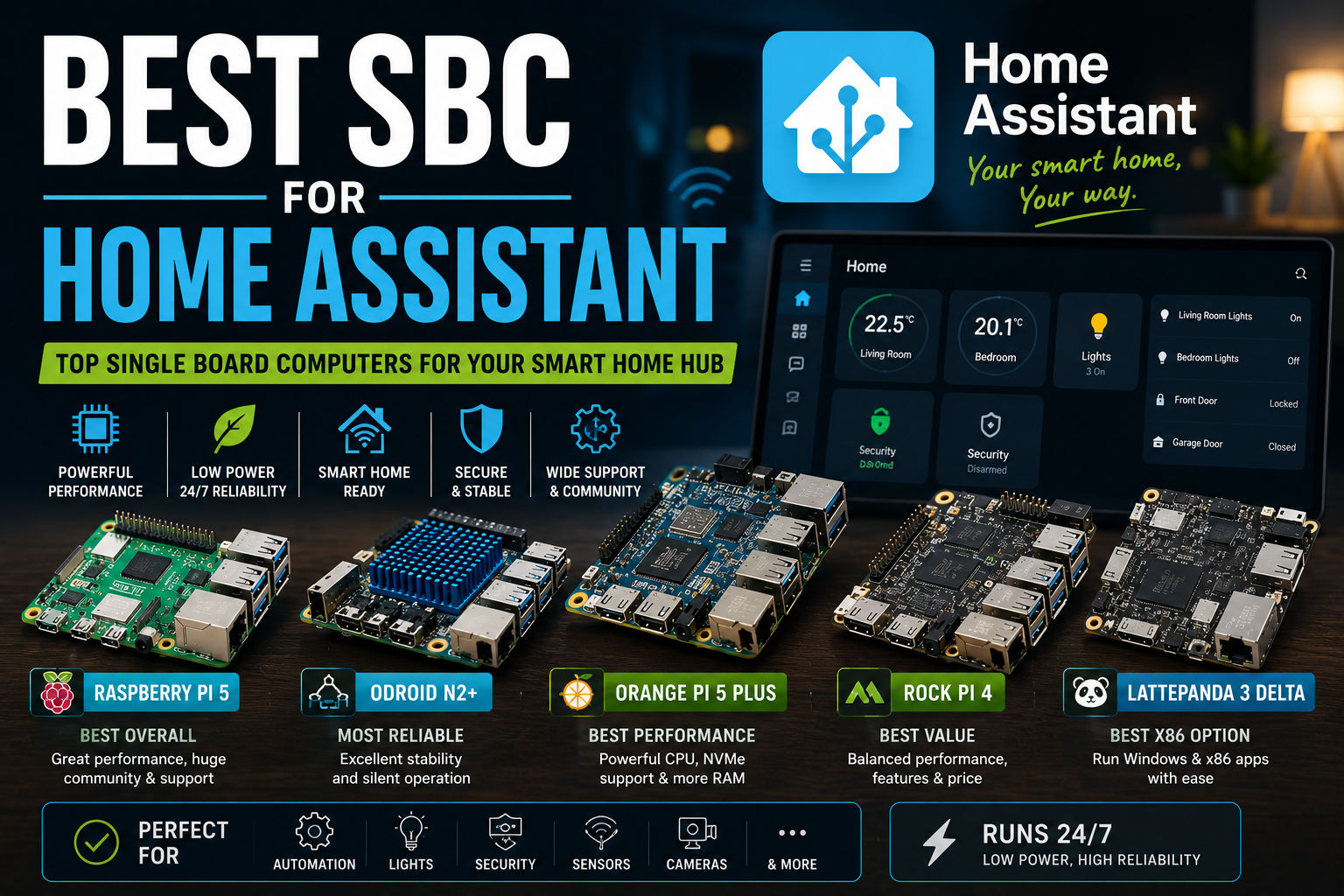
| Raspberry Pi 5 | Best Overall | Up to 16GB | microSD / NVMe (adapter) | ⭐⭐⭐⭐⭐ |
| ODROID N2+ | Reliability | 4GB | eMMC | ⭐⭐⭐⭐⭐ |
| Orange Pi 5 Plus | Power Users | Up to 16GB | NVMe | ⭐⭐⭐⭐⭐ |
| ROCK Pi 4 | Performance & Value | Up to 4GB | NVMe | ⭐⭐⭐⭐☆ |
| LattePanda 3 Delta | Windows & x86 | Up to 8GB | NVMe | ⭐⭐⭐⭐☆ |
1. Raspberry Pi 5 – Best Overall
Why Choose It?
The Raspberry Pi 5 remains the easiest recommendation for most Home Assistant users.
Its huge community, excellent documentation, and official support make installation straightforward.
Pros
- Excellent Home Assistant support
- Massive community
- Large ecosystem of accessories
- Great Linux compatibility
- Reliable performance
Cons
- NVMe requires an expansion board
- Can become expensive with accessories
Best For
- Beginners
- Smart homes with 50–200 devices
- Zigbee and Z-Wave gateways
- Home Assistant OS
2. ODROID N2+ – Most Reliable
The ODROID N2+ has been one of the most recommended Home Assistant platforms for years.
Its excellent passive cooling, stable hardware, and fast eMMC storage make it perfect for 24/7 automation.
Pros
- Extremely reliable
- Silent
- Low power usage
- Fast eMMC support
Cons
- Limited to 4GB RAM
- Older CPU
3. Orange Pi 5 Plus – Best Performance
If you expect to run multiple Docker containers alongside Home Assistant, the Orange Pi 5 Plus offers significantly more processing power.
Ideal for:
- Home Assistant
- Frigate NVR
- MQTT
- Grafana
- Node-RED
- Zigbee2MQTT
Pros
- Excellent CPU
- NVMe SSD support
- Up to 16GB RAM
- Great multitasking
Cons
- Smaller community
- Slightly more advanced setup
4. ROCK Pi 4 – Best Value
The ROCK Pi 4 offers an excellent balance between performance and price.
With NVMe support and Gigabit Ethernet, it’s well suited for Home Assistant installations that also host additional services.
Pros
- Fast RK3399 processor
- NVMe support
- Affordable
Cons
- Smaller software community
5. LattePanda 3 Delta – Best x86 Option
If you want to run Home Assistant alongside Windows applications or virtualization software, the LattePanda 3 Delta is a compelling choice.
It provides desktop-class compatibility in a compact form factor.
Minimum Hardware Requirements
For a smooth Home Assistant experience, consider:
- Quad-core processor
- 4GB RAM or more
- SSD or eMMC storage
- Gigabit Ethernet
- Stable power supply
Should You Use an SD Card?
While Home Assistant can run from a microSD card, long-term reliability is much better with:
- NVMe SSD
- SATA SSD
- eMMC storage
SD cards tend to wear out faster due to frequent database writes.
Recommended Storage
| Storage Type | Recommendation |
| NVMe SSD | ⭐⭐⭐⭐⭐ |
| eMMC | ⭐⭐⭐⭐⭐ |
| SATA SSD | ⭐⭐⭐⭐☆ |
| High-quality microSD | ⭐⭐⭐☆☆ |
Home Assistant Add-ons
Most users eventually install additional services such as:
- Node-RED
- Zigbee2MQTT
- Mosquitto MQTT
- ESPHome
- Samba Backup
- File Editor
- Studio Code Server
- Terminal & SSH
- AdGuard Home
- Tailscale
Running these add-ons is easier on SBCs with more RAM and faster storage.
Recommended Smart Home Hardware
Popular USB adapters include:
- Zigbee USB coordinator
- Z-Wave controller
- Bluetooth adapter (if required)
- UPS for power backup
Adding a UPS helps prevent database corruption during unexpected power outages.
Performance Comparison
| Task | Raspberry Pi 5 | Orange Pi 5 Plus | ODROID N2+ |
| Home Assistant | ⭐⭐⭐⭐⭐ | ⭐⭐⭐⭐⭐ | ⭐⭐⭐⭐⭐ |
| Docker | ⭐⭐⭐⭐☆ | ⭐⭐⭐⭐⭐ | ⭐⭐⭐⭐☆ |
| Frigate NVR | ⭐⭐⭐☆☆ | ⭐⭐⭐⭐⭐ | ⭐⭐⭐☆☆ |
| Node-RED | ⭐⭐⭐⭐⭐ | ⭐⭐⭐⭐⭐ | ⭐⭐⭐⭐☆ |
| MQTT | ⭐⭐⭐⭐⭐ | ⭐⭐⭐⭐⭐ | ⭐⭐⭐⭐⭐ |
Frequently Asked Questions
Is Raspberry Pi still the best for Home Assistant?
For most users, yes. The Raspberry Pi 5 offers the best combination of ease of use, documentation, and community support.
Is an SSD necessary?
Highly recommended.
An SSD improves boot times, database performance, and long-term reliability.
How much RAM do I need?
2GB: Small installation
4GB: Typical smart home
8GB+: Multiple add-ons, Docker, Frigate, databases
Should I use Docker or Home Assistant OS?
Home Assistant OS is the easiest option for beginners.
Docker provides greater flexibility for advanced users who already manage Linux servers.
Final Verdict
If you’re building a dedicated smart home controller, the Raspberry Pi 5 remains the best all-around choice thanks to its excellent community support and straightforward installation.
For users running multiple self-hosted services or advanced automation stacks, the Orange Pi 5 Plus delivers exceptional performance with NVMe storage and ample RAM.
If reliability is your highest priority, the ODROID N2+ continues to be one of the most dependable platforms for 24/7 Home Assistant installations.
Regardless of which board you choose, pairing it with fast storage, a stable power supply, and regular backups will ensure your Home Assistant server runs smoothly for years.
Related Articles
Continue learning with these guides:
- Best Single Board Computers for Home Servers
- How to Build a Home Server with a Single Board Computer
- Best Operating Systems for Single Board Computers
- How to Install Linux on a Single Board Computer
- How to Choose the Right Single Board Computer
- Common Single Board Computer Problems and How to Fix Them
- Raspberry Pi Alternatives