
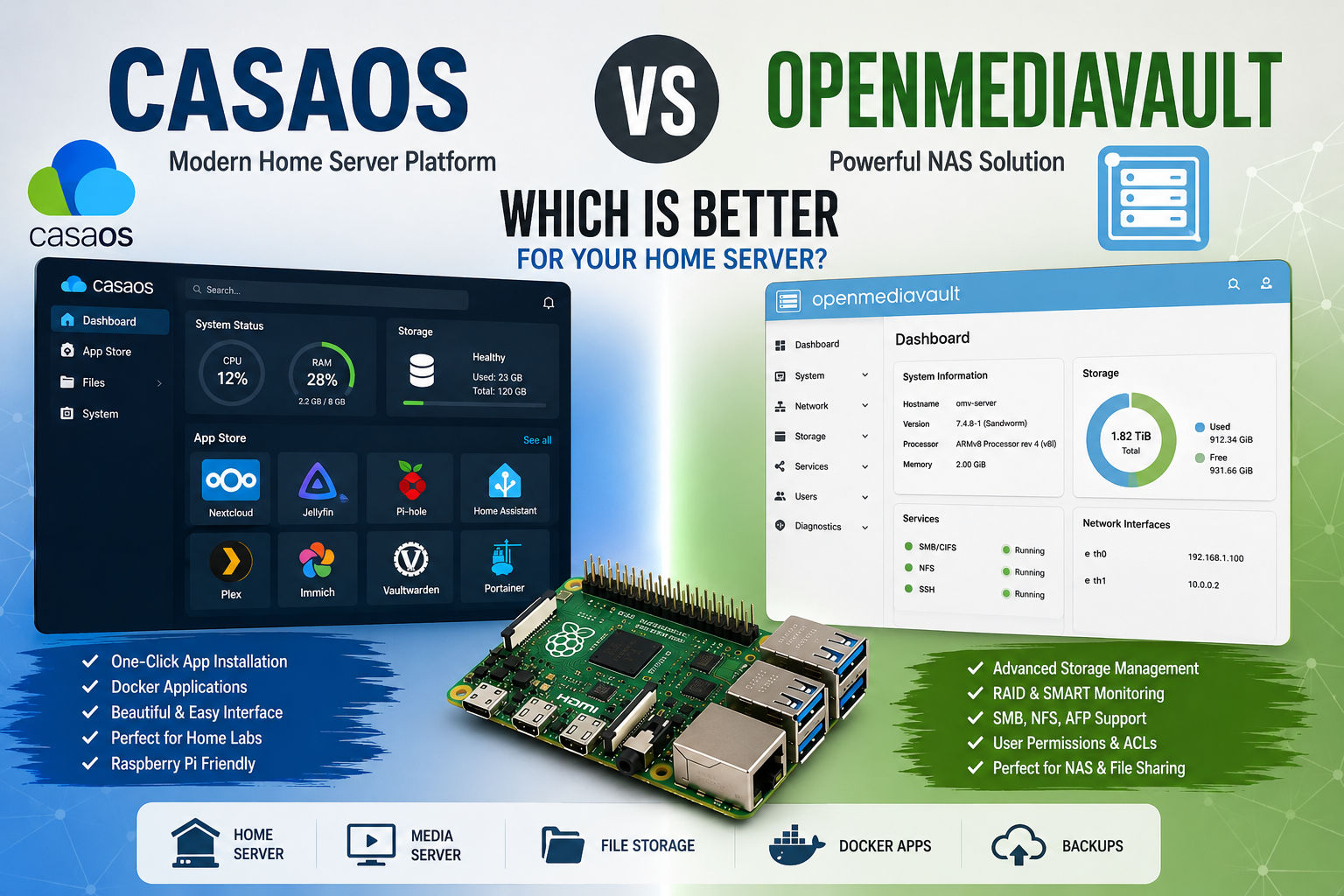
If you’re building a home server with a Raspberry Pi, mini PC, or another single-board computer, CasaOS and OpenMediaVault (OMV) are two of the most popular options to consider.
Although they can be used for some of the same projects, they are designed with different priorities. CasaOS focuses on simplicity, Docker applications, and an easy-to-use personal cloud experience, while OpenMediaVault is primarily a NAS platform designed around storage, file sharing, permissions, and network services.
So, which one should you choose?
For most beginners who want to run applications such as Jellyfin, Nextcloud, Home Assistant, or other containers, CasaOS is the easier starting point. If your primary goal is building a serious NAS with advanced storage and file-sharing management, OpenMediaVault is the better choice.
Let’s compare them in detail.
CasaOS vs OpenMediaVault at a Glance
| Feature | CasaOS | OpenMediaVault |
|---|---|---|
| Main purpose | Personal cloud & home server | NAS & storage server |
| Ease of use | ⭐⭐⭐⭐⭐ | ⭐⭐⭐⭐ |
| Beginner friendly | Excellent | Very good |
| File sharing | Good | Excellent |
| Storage management | Good | Excellent |
| Docker applications | Excellent | Excellent |
| App management | Excellent | Good |
| SMB/CIFS | Yes | Yes |
| NFS | Yes | Yes |
| RAID management | Limited | Excellent |
| SMART monitoring | Basic | Excellent |
| Plugins | Growing ecosystem | Extensive |
| Hardware support | ARM & x86 | ARM & x86 |
| Best for | Apps & home labs | NAS & storage |
| Raspberry Pi | Excellent | Excellent |
| Advanced NAS | Limited | Excellent |
The short version: CasaOS is easier; OpenMediaVault is more storage-focused.
What Is CasaOS?
CasaOS is an open-source personal cloud and home-server interface designed to make self-hosting easier.
Rather than requiring you to manage Docker containers and configuration files manually, CasaOS provides a graphical interface for installing and managing applications.
Its official project highlights features including a web interface, one-click application installation, Docker application support, file management, storage management, and system monitoring. It supports platforms including Raspberry Pi and systems such as Debian, Ubuntu, and Raspberry Pi OS.
Popular applications available through the CasaOS ecosystem include:
- Nextcloud
- Jellyfin
- Home Assistant
- AdGuard
- Immich
- Vaultwarden
- Plex
- Portainer
This makes CasaOS particularly attractive if your goal isn’t simply storing files, but running multiple self-hosted applications from one small computer.
What Is OpenMediaVault?
OpenMediaVault is a Debian-based operating system and management platform specifically designed for network-attached storage (NAS).
Its official documentation describes it as a complete NAS solution based on Debian Linux, available for both x86-64 and ARM platforms. It provides web administration and supports file-sharing protocols such as SMB/CIFS and NFS.
OpenMediaVault also provides considerably more storage-oriented functionality, including:
- Storage management
- Software RAID
- SMART monitoring
- File shares
- Access control
- ACLs
- Quotas
- Btrfs snapshots
- Scheduled jobs
- Network configuration
- NFS
- SMB/CIFS
- Rsync
- Plugin support
These features make OMV much more attractive when the server’s primary purpose is storage.
CasaOS vs OpenMediaVault: Ease of Use
Winner: CasaOS
This is probably the biggest difference between the two platforms.
CasaOS was designed around the idea that users shouldn’t need extensive Linux or Docker knowledge to run a home server.
The interface gives you access to:
- Applications
- Files
- Storage
- System information
- Docker applications
- Resource monitoring
Installing an application can be as simple as opening the App Store and selecting Install.
That’s particularly useful for beginners who want to experiment with self-hosting without spending hours learning Docker Compose.
OpenMediaVault
OMV also has a web interface, but it exposes considerably more storage and system configuration.
That makes it more powerful, but also means there is more to learn.
You’ll encounter concepts such as:
- Physical disks
- File systems
- Mount points
- Shared folders
- Users
- Groups
- ACLs
- RAID
- Network interfaces
- Services
For someone building their first server, this can initially feel more complicated.
CasaOS vs OpenMediaVault for Storage
Winner: OpenMediaVault
If you’re primarily interested in building a NAS, OpenMediaVault is the stronger option.
OMV was specifically designed around network storage and provides extensive storage-management capabilities.
It supports multiple file systems and includes features such as RAID, quotas, ACLs, SMART monitoring, Btrfs snapshots, and storage-related scheduled tasks.
For example, you could build a server with:
Raspberry Pi / Mini PC
        │
        ├── SSD
        ├── HDD 1
        └── HDD 2
              │
         OpenMediaVault
              │
       ┌──────┼──────┐
       │      │      │
      SMB    NFS   Rsync
This makes OMV particularly attractive for users who want centralized storage for computers, phones, televisions, and other devices.
CasaOS vs OpenMediaVault for Docker
Winner: CasaOS
Both platforms can run containerized applications, but CasaOS makes the experience more approachable.
CasaOS integrates Docker applications directly into its user experience and provides an application store with one-click installation options. Its project documentation also describes support for installing Docker applications beyond the curated store.
You can use CasaOS to run applications such as:
- Jellyfin
- Nextcloud
- Home Assistant
- Immich
- Vaultwarden
- Pi-hole
- Plex
- Portainer
This is one of the biggest reasons to choose CasaOS for a small home lab.
OpenMediaVault
OMV can also run containerized applications. Its current feature set includes containerized applications through its Compose/Kubernetes-related tooling and plugin ecosystem.
However, the experience is more oriented toward users who are comfortable managing server infrastructure.
CasaOS vs OpenMediaVault for a NAS
Winner: OpenMediaVault
If you tell me:
“I need a server mainly to store my files.”
I’d recommend OpenMediaVault.
Its architecture and features are centered around NAS functionality.
You can create shared folders and expose them over:
- SMB/CIFS
- NFS
- FTP/SFTP-related services
- Rsync
You also get more sophisticated tools for managing disks and storage.
CasaOS can certainly share and manage files, but it isn’t as storage-centric as OMV.
CasaOS vs OpenMediaVault for a Home Lab
Winner: CasaOS
For a home lab, CasaOS is extremely attractive.
Imagine a Raspberry Pi 5 connected to an SSD:
                 Raspberry Pi 5
                       │
                    CasaOS
                       │
       ┌───────────────┼────────────────┐
       │               │                │
   Home Assistant    Jellyfin        Nextcloud
       │               │                │
   Smart Home        Media           Cloud
You can gradually add services as your experience grows.
This makes CasaOS a good entry point for users interested in:
- Self-hosting
- Docker
- Home automation
- Media servers
- Personal cloud storage
- Network services
- Home labs
CasaOS vs OpenMediaVault for Home Assistant
Winner: CasaOS for beginners
Both can be used as part of a Home Assistant setup.
However, CasaOS makes the overall application-management experience easier for beginners.
If your Raspberry Pi is going to run several services alongside Home Assistant, CasaOS can provide a convenient central dashboard.
For example:
- Home Assistant
- Pi-hole
- Jellyfin
- Vaultwarden
- Nextcloud
can all coexist as containerized services.
If you’re interested specifically in Home Assistant hardware, see our guide to the best SBCs for Home Assistant.
CasaOS vs OpenMediaVault for Media Servers
Winner: CasaOS
CasaOS is particularly appealing for media-server projects because applications such as Jellyfin and Plex fit naturally into its application-oriented workflow.
A typical setup could look like:
Raspberry Pi 5
      │
    CasaOS
      │
  ┌───┴────┐
  │ Jellyfin
  │
  ├── Media Storage
  │
  └── Backup
For someone who wants to quickly turn an SBC into a home media server, CasaOS provides a much simpler starting point.
CasaOS vs OpenMediaVault for RAID
Winner: OpenMediaVault
If RAID is an important part of your server design, OMV has the advantage.
OpenMediaVault includes software RAID capabilities and extensive volume-management functionality.
This makes it better suited to a multi-drive NAS.
However, remember that RAID is not a backup.
Even if your NAS uses RAID 1, RAID 5, or another redundancy configuration, you should still maintain an independent backup.
CasaOS vs OpenMediaVault on Raspberry Pi
Both platforms can be used with Raspberry Pi.
CasaOS officially lists Raspberry Pi OS as tested and supports ARM architectures including arm64 and armv7.
OpenMediaVault also supports ARM hardware and is designed to run on Debian-based systems.
For a Raspberry Pi 5, I’d consider the following:
Choose CasaOS if you want:
- Docker applications
- Home Assistant
- Jellyfin
- Nextcloud
- Pi-hole
- A simple interface
- A home lab
Choose OMV if you want:
- NAS functionality
- Multiple drives
- Advanced storage management
- RAID
- SMB/NFS
- SMART monitoring
- Detailed permissions
CasaOS vs OpenMediaVault: Hardware Requirements
Neither platform requires an extremely powerful computer.
A Raspberry Pi can be enough for a basic installation.
However, your hardware requirements depend heavily on what you’re running.
For example:
Basic file server
A modest SBC can be sufficient.
Multiple Docker applications
More RAM and faster storage become increasingly important.
Media transcoding
CPU/GPU capabilities become much more important.
Large NAS
Storage connectivity and drive reliability become major considerations.
For either platform, I’d strongly recommend using an SSD rather than relying exclusively on a microSD card for a server that will operate continuously.
Which Has Better Storage Management?
OpenMediaVault.
This is where the difference between the two projects becomes particularly obvious.
OMV provides dedicated functionality for:
- Disks
- File systems
- RAID
- Shared folders
- Permissions
- ACL
- Quotas
- SMART
- Snapshots
CasaOS is much more focused on making applications and personal-cloud services easy to manage.
Which Has the Better Interface?
CasaOS
CasaOS has the more modern and beginner-friendly interface.
Its dashboard is designed around applications and services.
That makes it particularly attractive if you want your server to feel more like an appliance.
OpenMediaVault
OMV’s interface is more administrative.
That’s not necessarily a disadvantage.
In fact, advanced users may prefer having access to more detailed storage and network configuration.
Which Is Better for Beginners?
CasaOS
If you’ve never built a Linux server before, I’d start with CasaOS.
You can learn progressively:
- Install Linux
- Install CasaOS
- Install Docker applications
- Configure storage
- Learn networking
- Add remote access
- Configure backups
This provides a gentler learning curve.
Which Is Better for Advanced Users?
OpenMediaVault for NAS
If you’re building a storage-heavy server, OMV provides more control.
However, advanced Docker users may still prefer CasaOS because its application-centric interface makes container management convenient.
The better choice therefore depends on what kind of advanced user you are.
CasaOS vs OpenMediaVault: Security
Neither platform should be considered automatically secure simply because it provides a web interface.
Your security should include:
- Strong passwords
- Regular updates
- SSH key authentication
- Firewall configuration
- Regular backups
- Limited exposed ports
- HTTPS where appropriate
- Secure remote-access solutions
Avoid exposing your CasaOS or OMV administration interface directly to the public Internet unless you understand the risks.
For remote access, a VPN or secure overlay network can be preferable.
Can You Install CasaOS and OpenMediaVault Together?
This is an important question.
I wouldn’t recommend installing both as competing management layers on the same server.
Both platforms are designed to manage system resources and services, and mixing them can create conflicts or make troubleshooting considerably harder.
Instead, choose one as the primary management platform.
If you want to experiment with both, use:
- Separate Raspberry Pis
- Separate mini PCs
- Virtual machines
- Test hardware
This lets you compare them without putting your production server at risk.
CasaOS vs OpenMediaVault: Pros and Cons
CasaOS Pros
- Extremely easy to use
- Excellent Docker integration
- Attractive interface
- Easy application installation
- Great for home labs
- Good Raspberry Pi support
- Excellent for beginners
- Good personal-cloud experience
CasaOS Cons
- Less focused on advanced NAS functionality
- Not the best choice for complex storage configurations
- Some advanced tasks still require Linux/Docker knowledge
- App availability and configuration can vary
OpenMediaVault Pros
- Excellent NAS functionality
- Advanced storage management
- RAID support
- SMB/NFS support
- SMART monitoring
- Strong permissions management
- Plugin ecosystem
- Debian-based
- Supports ARM and x86 hardware
OpenMediaVault Cons
- Steeper learning curve
- More configuration options
- Less beginner-friendly than CasaOS
- Docker application management isn’t as simple as CasaOS’s one-click workflow
CasaOS vs OpenMediaVault: Which Should You Choose?
The answer depends on what you’re trying to build.
Choose CasaOS if:
You want a simple home server.
It’s especially good for:
- Docker
- Home Assistant
- Jellyfin
- Nextcloud
- Pi-hole
- Self-hosting
- Home labs
- Beginners
Choose OpenMediaVault if:
You want a NAS.
It’s particularly strong for:
- File storage
- Multiple hard drives
- RAID
- SMB
- NFS
- Storage management
- Permissions
- Backup infrastructure
Our Recommendation
For most people building their first Raspberry Pi home server, we’d choose CasaOS.
Its combination of a simple interface, Docker support, application management, and low barrier to entry makes it an excellent introduction to self-hosting. CasaOS officially supports Raspberry Pi and Raspberry Pi OS, making it particularly convenient for SBC projects.
However, if your main objective is to build a dedicated NAS, we’d choose OpenMediaVault.
OMV has a much stronger focus on storage, file systems, permissions, RAID, SMART monitoring, and network file sharing.
The simple decision:
CasaOS = Apps and home lab
OpenMediaVault = NAS and storage
And if you want both? Consider running them on separate machines rather than trying to combine them on one server.
Frequently Asked Questions
Is CasaOS better than OpenMediaVault?
Not universally. CasaOS is better for beginners and application-focused home servers, while OpenMediaVault is better for dedicated NAS and storage management.
Can CasaOS replace OpenMediaVault?
For a simple home server, potentially yes. For advanced NAS requirements involving RAID, detailed storage management, and sophisticated file-sharing configuration, OpenMediaVault remains the better fit.
Is OpenMediaVault better than CasaOS for Raspberry Pi?
It depends on the project. OMV is better if the Raspberry Pi is primarily a NAS; CasaOS is better if you want to run multiple Docker applications.
Can CasaOS run Docker?
Yes. Docker applications are a central part of the CasaOS experience.
Can OpenMediaVault run Docker containers?
Yes. Current OMV functionality includes containerized applications through its Compose/Kubernetes-related tooling and plugins.
Which is easier to install?
CasaOS is particularly simple because it can be installed on a supported Linux system using an official one-line installer.
Final Verdict
| Category | Winner |
|---|---|
| Beginner friendliness | 🏆 CasaOS |
| Docker applications | 🏆 CasaOS |
| Home lab | 🏆 CasaOS |
| Personal cloud | 🏆 CasaOS |
| Media server | 🏆 CasaOS |
| NAS | 🏆 OpenMediaVault |
| RAID | 🏆 OpenMediaVault |
| Storage management | 🏆 OpenMediaVault |
| File sharing | 🏆 OpenMediaVault |
| Permissions | 🏆 OpenMediaVault |
| SMART monitoring | 🏆 OpenMediaVault |
| Advanced NAS | 🏆 OpenMediaVault |
Overall: If you’re building an application-focused home server, start with CasaOS. If you’re building a storage-focused NAS, choose OpenMediaVault.
Related Articles
- Install CasaOS on Raspberry Pi
- How to Build a Home Server with a Single Board Computer
- Best Single Board Computers for Home Servers
- Best SBC for Home Assistant
- How to Install Linux on a Single Board Computer
- Best Operating Systems for Single Board Computers
- Single Board Computer vs Traditional Computer