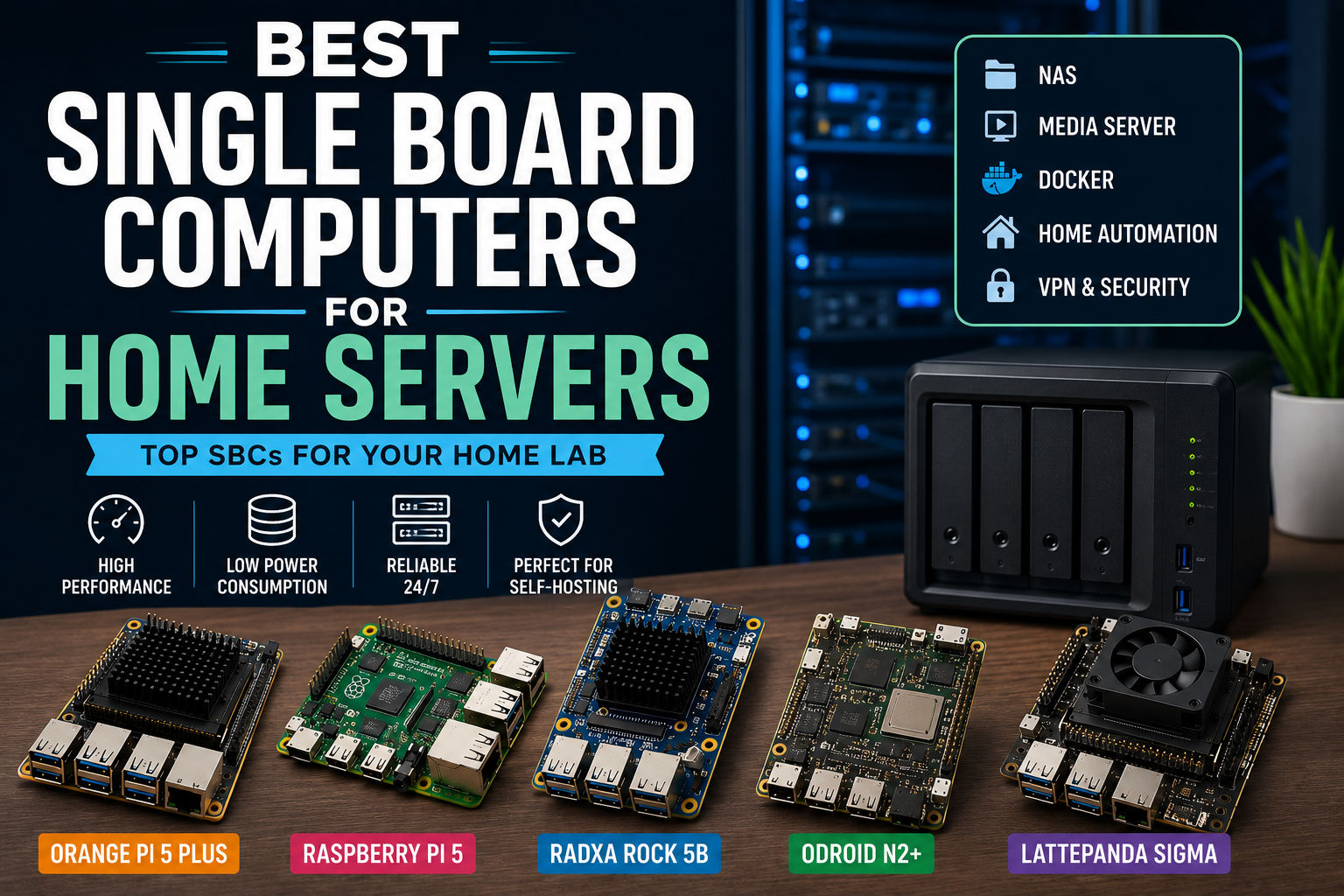
Building a home server no longer requires a noisy desktop computer or an expensive rack-mounted system. Modern single board computers (SBCs) are powerful enough to run file servers, media servers, VPNs, home automation platforms, Docker containers, and many self-hosted applications while consuming only a fraction of the power of a traditional PC.
Whether you’re creating your first home lab or upgrading an existing server, choosing the right SBC is essential. In this guide, we’ll compare the best single board computers for home servers in 2026, highlighting their strengths, weaknesses, and ideal use cases.
Why Use a Single Board Computer as a Home Server?
Single board computers are ideal for always-on workloads because they combine excellent performance with low operating costs.
Benefits
- Low power consumption
- Silent operation
- Compact size
- Affordable hardware
- Reliable Linux support
- Perfect for 24/7 operation
Common home server applications include:
- Network Attached Storage (NAS)
- Pi-hole DNS server
- Home Assistant
- Plex or Jellyfin
- Nextcloud
- WireGuard VPN
- Docker containers
- Git server
- Web server
- Backup server
Quick Comparison
| SBC | Best For | CPU | RAM | Storage | Rating |
|---|---|---|---|---|---|
| Orange Pi 5 Plus | Overall Performance | RK3588 | Up to 16GB | NVMe | ⭐⭐⭐⭐⭐ |
| Raspberry Pi 5 | Beginners | Broadcom BCM2712 | Up to 16GB* | microSD / NVMe (adapter) | ⭐⭐⭐⭐⭐ |
| Radxa Rock 5B | Docker & Virtualization | RK3588 | Up to 16GB | NVMe | ⭐⭐⭐⭐⭐ |
| ODROID N2+ | Reliability | Amlogic S922X | 4GB | eMMC | ⭐⭐⭐⭐☆ |
| LattePanda Sigma | Windows & x86 | Intel Core | Up to 32GB | NVMe | ⭐⭐⭐⭐☆ |
*Available RAM capacities vary by model and current availability.
1. Orange Pi 5 Plus – Best Overall Home Server SBC
Best For
- Docker
- NAS
- Virtualization
- Multiple self-hosted services
The Orange Pi 5 Plus is one of the most capable ARM-based SBCs available today.
Its Rockchip RK3588 processor delivers excellent multi-core performance while supporting NVMe SSDs and high-speed networking, making it ideal for demanding home server workloads.
Pros
✅ Excellent CPU performance
✅ NVMe SSD support
✅ Up to 16GB RAM
✅ Great price-to-performance ratio
Cons
- Smaller community than Raspberry Pi
- Some software requires additional configuration
Recommended Uses
- Docker host
- Jellyfin server
- Nextcloud
- Home Assistant
- Reverse proxy
- NAS
2. Raspberry Pi 5 – Best for Beginners
Best For
- Learning self-hosting
- Pi-hole
- Home Assistant
- Lightweight Docker workloads
The Raspberry Pi 5 remains the easiest platform for beginners thanks to its unmatched documentation and massive community.
Although it doesn’t offer the highest raw performance, it excels in simplicity and software support.
Pros
✅ Huge community
✅ Excellent documentation
✅ Stable Linux ecosystem
✅ Wide accessory compatibility
Cons
- Native NVMe requires additional hardware
- Can become expensive once accessories are added
Recommended Uses
- Pi-hole
- Home Assistant
- WireGuard
- Personal websites
- MQTT broker
3. Radxa Rock 5B – Best for Docker
Best For
- Containers
- Development
- Databases
- Multiple Linux services
The Radxa Rock 5B combines powerful hardware with excellent storage support.
If your home server will run several Docker containers simultaneously, it’s one of the best ARM boards available.
Pros
✅ Fast NVMe storage
✅ Excellent multi-core CPU
✅ Good Linux support
Cons
- Smaller community
- More advanced setup
4. ODROID N2+ – Most Reliable
Best For
- Always-on services
- DNS
- Home Assistant
- Lightweight NAS
The ODROID N2+ has built a strong reputation for stability.
It may not have the newest processor, but it remains an excellent choice for services that need to run continuously.
Pros
✅ Very stable
✅ Low power usage
✅ Excellent thermal performance
Cons
- Limited RAM
- Older hardware platform
5. LattePanda Sigma – Best x86 Home Server
Best For
- Windows Server
- Virtual machines
- x86 software
- Development
If your workload requires Windows or x86 applications, the LattePanda Sigma is an excellent option.
It offers desktop-class compatibility while maintaining the compact form factor of an SBC.
Pros
✅ Runs Windows
✅ Excellent expansion
✅ Strong CPU performance
Cons
- Higher price
- Higher power consumption
Which Home Server Can You Build?
File Server (NAS)
Recommended Boards:
- Orange Pi 5 Plus
- Radxa Rock 5B
Software:
- OpenMediaVault
- Samba
- NFS
Media Server
Recommended Boards:
- Raspberry Pi 5
- Orange Pi 5 Plus
Software:
- Jellyfin
- Plex
- Kodi
Home Automation
Recommended Boards:
- Raspberry Pi 5
- ODROID N2+
Software:
- Home Assistant
- Node-RED
- Mosquitto MQTT
Docker Server
Recommended Boards:
- Orange Pi 5 Plus
- Radxa Rock 5B
Run:
- Nextcloud
- Grafana
- Prometheus
- Nginx Proxy Manager
- Vaultwarden
- Gitea
VPN Server
Recommended Boards:
- Raspberry Pi 5
- Orange Pi 5 Plus
Software:
- WireGuard
- OpenVPN
- Tailscale
Choosing the Right Home Server SBC
Before buying, consider these factors.
Storage Support
If you plan to host media libraries or databases, choose a board with NVMe support.
Storage speed has a major impact on server responsiveness.
RAM
Recommended minimums:
- 2GB: Pi-hole, VPN
- 4GB: Home Assistant
- 8GB: Docker
- 16GB: Multiple containers
Networking
Look for:
- Gigabit Ethernet
- 2.5 Gigabit Ethernet (if available)
Fast networking improves:
- NAS performance
- Media streaming
- File transfers
Community Support
Strong communities make troubleshooting much easier.
Raspberry Pi still leads in this area.
Power Consumption
One advantage of SBC servers is efficiency.
Approximate idle power:
| Board | Typical Idle Power |
|---|---|
| Raspberry Pi 5 | 3–5 W |
| Orange Pi 5 Plus | 4–6 W |
| ODROID N2+ | 2–4 W |
| Radxa Rock 5B | 4–6 W |
| LattePanda Sigma | 10–20 W |
Even running 24/7, ARM-based SBCs are inexpensive to operate.
Frequently Asked Questions
Can a single board computer replace a traditional home server?
For many home users, yes. An SBC can easily handle file sharing, VPN services, Home Assistant, DNS filtering, Docker containers, and lightweight media streaming. Larger environments with heavy virtualization or many simultaneous users may still benefit from a full PC or dedicated server.
Which SBC is best for Home Assistant?
The Raspberry Pi 5 and ODROID N2+ remain excellent choices due to their stability and strong community support.
Is NVMe important?
If you plan to run databases, Docker containers, or a media server, NVMe storage provides significantly better performance than microSD cards.
Which operating system should I use?
Popular choices include:
- Ubuntu Server
- Debian
- Armbian
- Raspberry Pi OS Lite
- DietPi
The best option depends on your hardware and the applications you intend to run.
Final Verdict
Modern single board computers are more than capable of replacing traditional home servers for many workloads.
If you want the best overall performance, the Orange Pi 5 Plus is difficult to beat thanks to its powerful processor, generous RAM options, and NVMe support.
If you’re just getting started, the Raspberry Pi 5 remains the easiest platform to learn because of its extensive documentation and community.
For users focused on Docker and self-hosting, the Radxa Rock 5B is another outstanding choice, while the ODROID N2+ continues to shine for reliable, always-on services.
Ultimately, the best SBC for your home server depends on your applications, storage requirements, and budget.
Related Guides
Continue building your home lab with these resources: