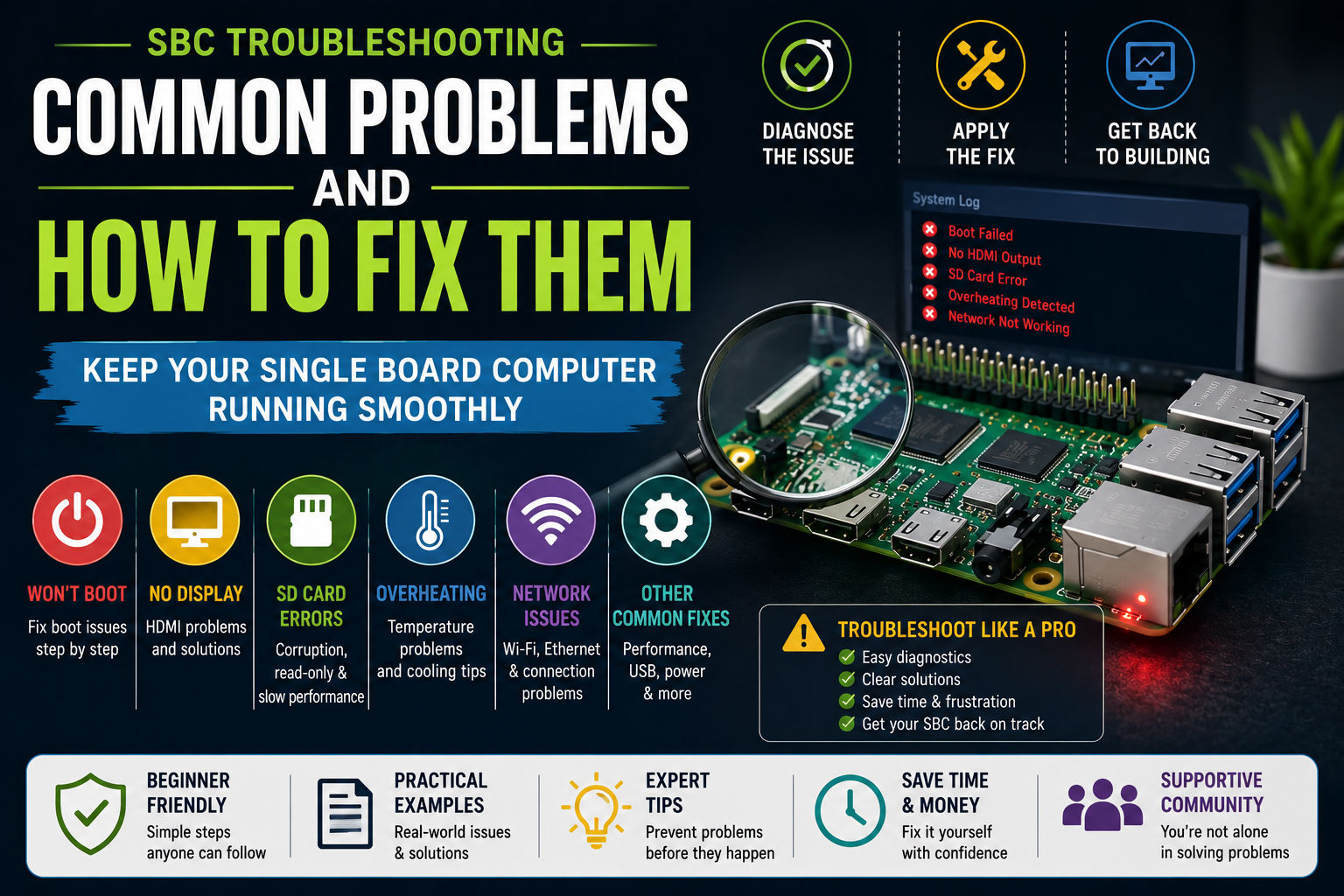
Single board computers (SBCs) are powerful, compact, and incredibly versatile—but like any hardware platform, they can run into issues. Beginners especially may encounter problems related to power, storage, overheating, or software configuration.
The good news is that most SBC problems are easy to diagnose and fix once you understand the common causes. This guide covers the most frequent single board computer problems and practical solutions to help you get your system running smoothly again.
1. Power Supply Problems
Symptoms
- SBC won’t boot
- Random reboots
- USB devices disconnecting
- System instability under load
Why It Happens
Many SBCs require a stable and sufficient power supply, but cheap adapters or underpowered USB cables can cause voltage drops.
How to Fix It
- Use the official power supply recommended for your board.
- Avoid low-quality USB cables.
- Check the required voltage and amperage (often 5V / 3A for many boards).
- Disconnect unnecessary peripherals.
Stable power is one of the most important factors in SBC reliability.
2. Corrupted microSD Cards
Symptoms
- OS won’t boot
- Filesystem errors
- Random system crashes
- Slow performance
Why It Happens
microSD cards have limited write cycles and can become corrupted due to:
- sudden power loss
- cheap or low-quality cards
- heavy logging or database usage
How to Fix It
- Use high-quality microSD cards from trusted brands.
- Create regular system backups.
- Consider switching to eMMC or NVMe storage if your SBC supports it.
- Avoid abrupt power shutdowns.
For server projects, upgrading storage can significantly improve reliability.
3. Overheating
Symptoms
- Slow performance
- System throttling
- Random crashes under heavy load
Why It Happens
Some SBCs generate significant heat during tasks like:
- video encoding
- compiling software
- running containers or AI workloads
Without proper cooling, the processor may throttle to prevent damage.
How to Fix It
- Install a heatsink or cooling fan.
- Use a ventilated case.
- Monitor temperatures using system tools.
- Reduce CPU load when possible.
Proper cooling can dramatically improve performance and stability.
4. Operating System Compatibility Issues
Symptoms
- Hardware not recognized
- Wi-Fi or Bluetooth not working
- Peripheral devices failing
Why It Happens
Not all operating systems support every SBC model or chipset.
How to Fix It
- Use official OS images whenever possible.
- Check your board’s compatibility list.
- Update to the latest OS version.
- Consult the SBC community forums.
Software support often improves quickly as boards mature.
5. Network Connectivity Problems
Symptoms
- Wi-Fi disconnecting
- Slow network speeds
- Ethernet not detected
Why It Happens
Common causes include:
- weak wireless signals
- driver issues
- power problems affecting network adapters
How to Fix It
- Prefer Ethernet connections for stability.
- Update network drivers and firmware.
- Reboot your router if needed.
- Move the SBC closer to the access point.
For servers and IoT gateways, wired networking is usually the most reliable option.
6. USB Device Problems
Symptoms
- Keyboard or mouse not working
- External drives disconnecting
- USB devices not recognized
Why It Happens
SBCs sometimes struggle to power multiple USB devices simultaneously.
How to Fix It
- Use a powered USB hub for multiple peripherals.
- Avoid connecting high-power devices directly to the board.
- Check USB compatibility with your SBC.
7. Boot Failures
Symptoms
- Blank screen
- No activity LEDs
- System stuck during startup
Why It Happens
Boot failures can be caused by:
- corrupted OS images
- incorrect boot configuration
- damaged storage media
How to Fix It
- Reflash the OS image.
- Verify the bootloader configuration.
- Test with a different microSD card.
- Disconnect external devices during boot.
8. Poor Performance
Symptoms
- Slow desktop environment
- Lag during multitasking
- High CPU usage
Why It Happens
Many SBCs have limited RAM and processing power compared to full desktop computers.
How to Fix It
- Use a lightweight Linux distribution.
- Disable unnecessary services.
- Avoid heavy desktop environments.
- Upgrade to faster storage.
Optimizing software often has a bigger impact than upgrading hardware.
Preventing SBC Problems
Most issues can be avoided with a few best practices:
Use Reliable Power Supplies
Cheap adapters cause many system problems.
Choose Quality Storage
Reliable microSD cards or eMMC storage improve stability.
Keep Software Updated
New OS updates often fix hardware compatibility issues.
Monitor System Health
Tools that track temperature and system load can help prevent failures.
Final Thoughts
Single board computers are incredibly flexible devices, but they require careful setup and maintenance. The most common issues—power problems, overheating, storage failures, and OS compatibility—are usually easy to fix once you know what to look for.
By following the troubleshooting tips in this guide, you can keep your SBC running reliably whether you’re building an IoT device, home server, or robotics project.